Export your data
You can download your data at any time, as JSON or CSV, from the Account page.
Steps
- Open Account in the app.
- Find Export your data.
- Choose Download JSON or Download CSV.
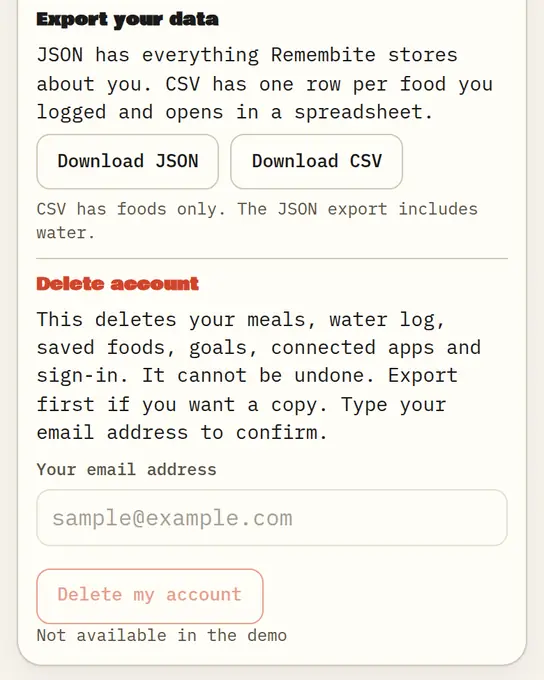
Sample data Account: export as JSON or CSV, and delete account. - Your browser saves
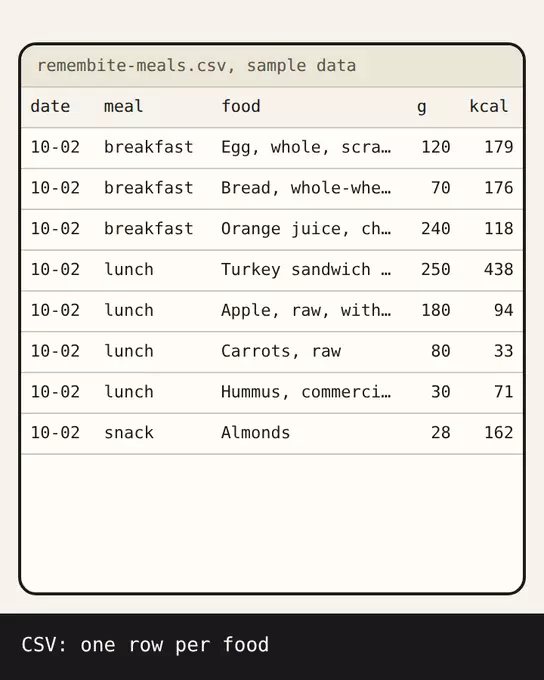
remembite-export.jsonorremembite-meals.csv.
Which format
| Format | What is in it | Good for |
|---|---|---|
| JSON | Everything Remembite stores about you except photos | A full copy, moving your data |
| CSV | One row per food you logged | Opening in a spreadsheet |
| Photos (ZIP) | The photos you attached to meals. The button shows once you have added photos. | Keeping your pictures |
Limits
Exports are limited to 5 every 10 minutes. If you see "Too many exports. Please wait a few minutes.", wait and try again.
Good to know
- Export before you delete your account. Deletion cannot be undone.
- Your data stays yours: Remembite does not sell it and does not use it for ads. See the privacy page.
- You can also ask Claude to show your records. The assistant's own terms then apply to what it receives.
Start your own record
Create a free account with your email, then add Remembite to Claude. Want to look first? Watch Claude log a sample day, no account needed.