Set your daily goals
You can set daily goals for calories, protein, carbs and fat. Ask Claude, or use the Goals page. Both save to the same place.
You can also set a daily water goal in ml, in Claude ("Set my water goal to 2,000 ml.") or on the Goals page. Water is a separate number, so setting it leaves your other goals as they are.
Set goals with Claude
Say it in plain words: "Set my goals to 2,000 kcal and 120 g protein."
- Values you leave out keep their current setting. Only the ones you name change.
- To clear one goal, say so: "Remove my fat goal." At least one goal must remain.
- Goals start today unless you give a date: "...starting next Monday."
Set goals in the app
- Open Goals.
- Pick the day in Starts on.
- Fill in calories, protein, carbs and fat. Leave a field empty for no goal.
- Choose Save goals.
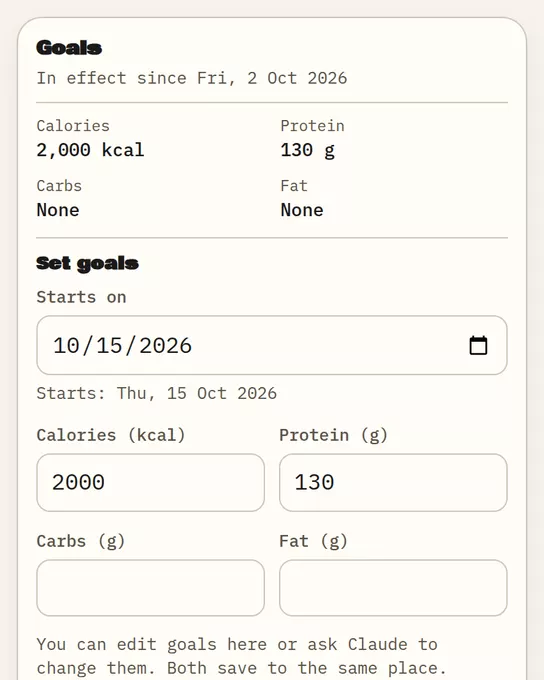
Sample data Goals: the goals in effect now and the form to change them.
The page shows the goals in effect now and a Goal history list.
How goals apply to days
Each goal starts on a date. Earlier days keep the goals that applied then, so changing a goal does not rewrite your past. Saving again for the same start date replaces that day's goals.
Where goals show
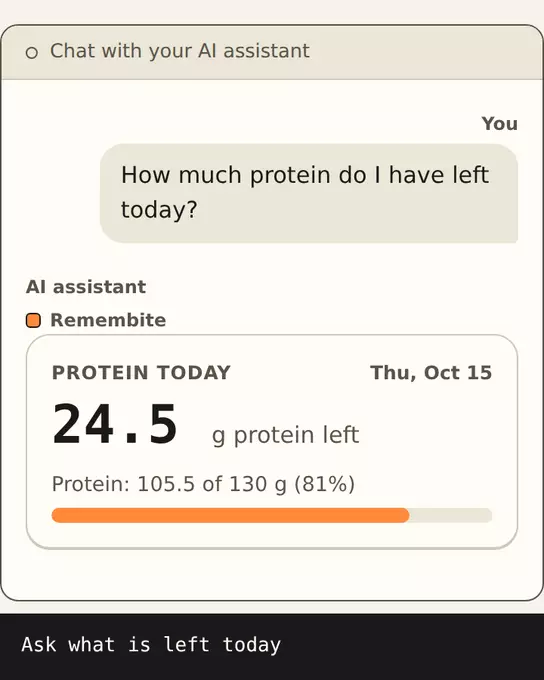
Goal progress appears on Today and in the Today card where your AI app supports it. See The Today screen.
Check your goals
Ask Claude: "What are my goals?" or open Goals.
Goals are your own targets. Remembite gives no advice on what they should be.
Start your own record
Create a free account with your email, then add Remembite to Claude. Want to look first? Watch Claude log a sample day, no account needed.