Feature
Catch a wrong calorie number before it is saved
Your AI does the math. Remembite keeps the record, and looks twice first. If a number your AI sends is far from a USDA reference, nothing is saved. A question goes back to your AI, and your AI asks you.
Get started free See Claude log a day
Free to start. Works in Claude and ChatGPT (beta).
Your AI's numbers drift. Who catches it?
Where it loses accuracy is over time. Even when focused on just a single day, the cumulative totals can be wrong when the context window gets too large. I catch this by mentally adding up the numbers it spits out.
In a plain chat, you are the only check. For a by-hand method, see how to check AI calorie estimates.
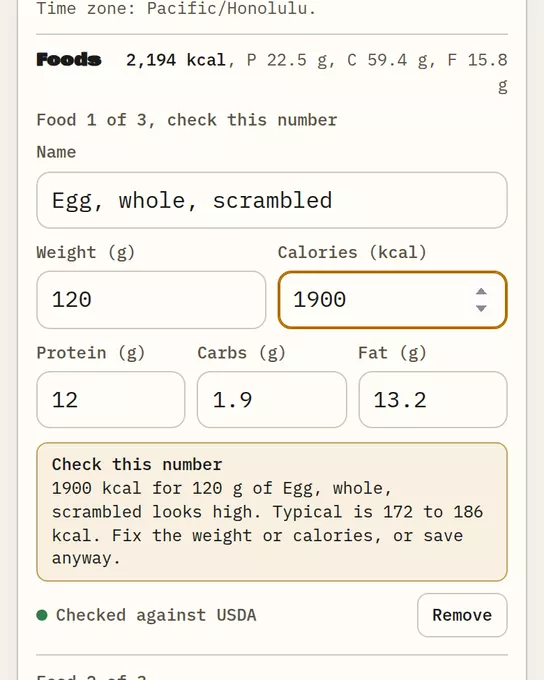
What happens when a number looks far off
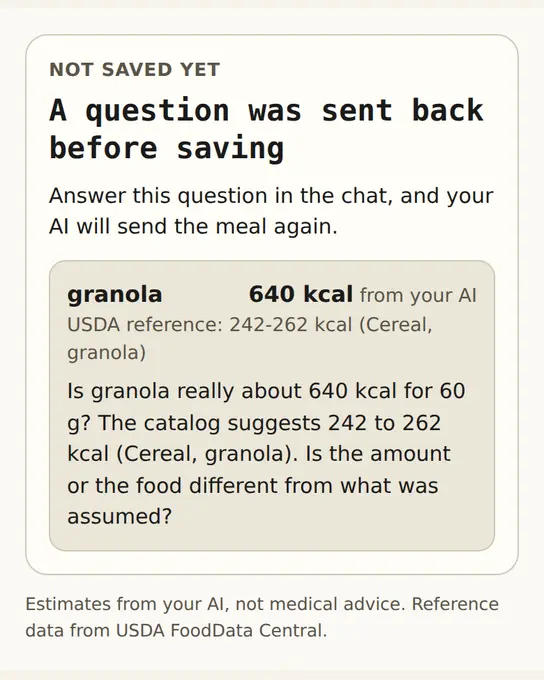
Your AI sends each food with grams, calories and macros. Remembite looks up a USDA-based reference for that food. If the number looks far off, nothing is saved and a question goes back. Remembite does not pick the right number and does not change yours. See how Remembite works.
See it happen: 60 g of granola
- Your AI sends 60 g of granola at 640 kcal. The reference for Cereal, granola is 242 to 262 kcal, so the entry is held back with a question.
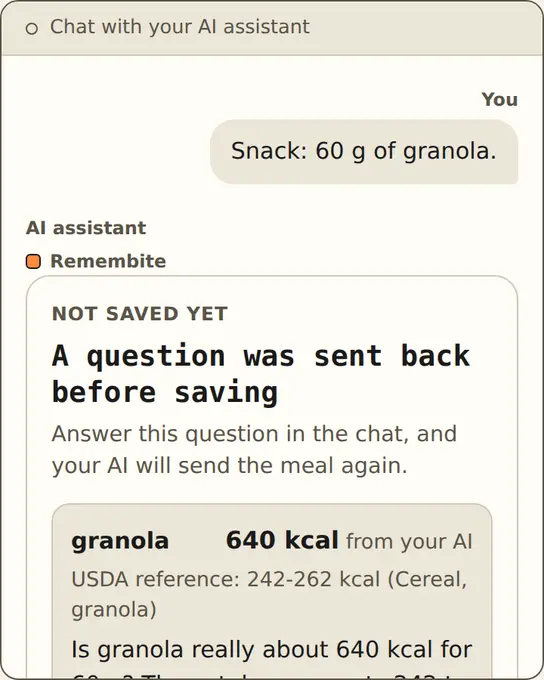
Illustration, sample data The question comes back to you. - You say it was a different granola. Your AI sends typical values, 252 kcal for 60 g, and the entry is saved.
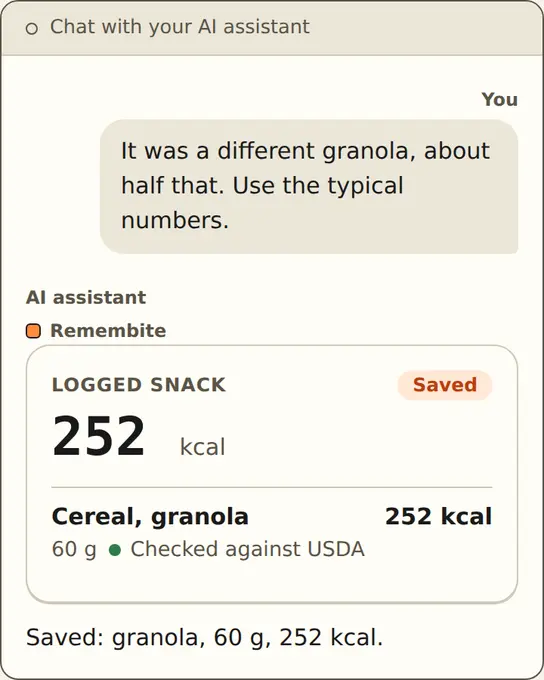
Illustration, sample data The corrected entry is saved. - Or you say 640 kcal is right. Your AI resends the original numbers as confirmed and they are saved.
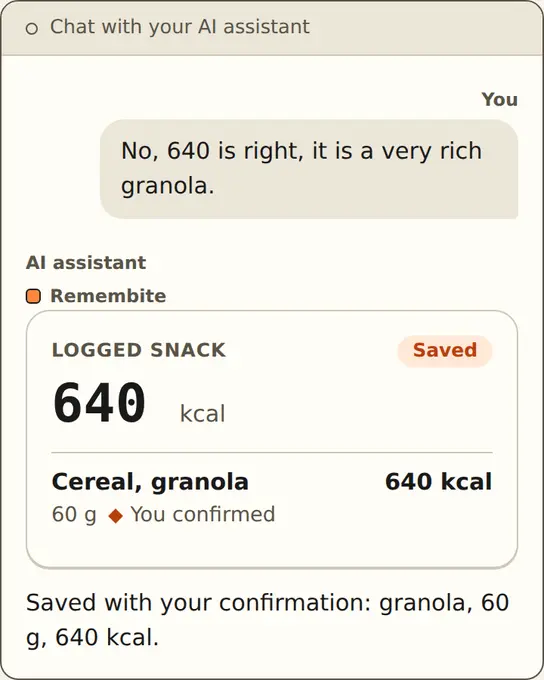
Illustration, sample data Saved after you confirm. - In Today, the confirmed row reads "You confirmed" and keeps its USDA reference link.
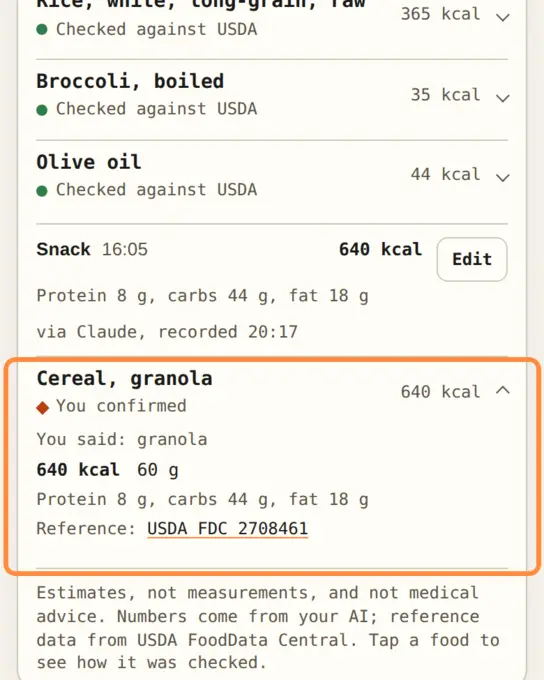
Sample data Remembite screenshot.
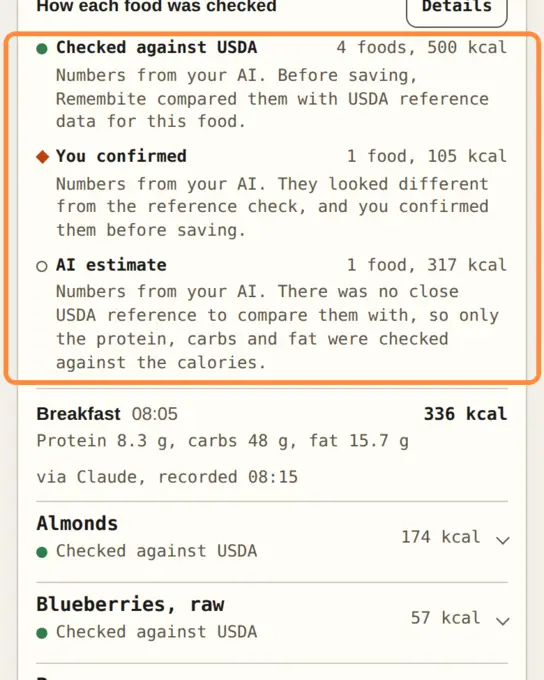
Three labels show how each food was checked
- Checked against USDA: the numbers were close enough to the reference to save.
- You confirmed: the numbers differed from the reference and you confirmed them.
- AI estimate: no close USDA reference, so only protein, carbs and fat were checked against the calories.
What the check does not do
- It covers foods Remembite can match to a USDA reference. An unmatched food is checked only for protein, carbs and fat against calories.
- A number you confirm is your word, not the right number.
- The reference is generic USDA data, not a brand or a restaurant dish. See eating out estimates.
Not for you if you want Remembite to calculate the numbers. Your AI does that. The methodology page has the details.
Questions
Does Remembite change my numbers?
No. It saves what your AI sends, or asks you first.
What if my food is not in the USDA data?
If the protein, carbs and fat fit the calories, it is saved as your AI sent it and labelled "AI estimate".
Can I override the check?
Yes. Confirm the number and it is saved, labelled "You confirmed".
Want to see a record built this way? Open the sample dashboard.
Estimates, not medical advice. How the numbers work.
Start your own record
Create a free account with your email, then add Remembite to Claude. Want to look first? Watch Claude log a sample day, no account needed.