The Account page
Account holds everything about you rather than your meals. Open Account in the app navigation.
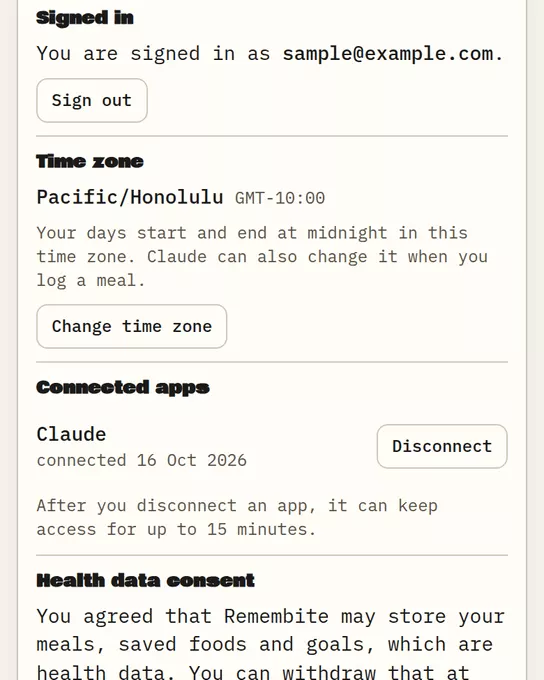
What is on the page
| Section | What you can do |
|---|---|
| Signed in | See your email and Sign out |
| Time zone | Change the zone that decides where each day starts and ends |
| Connected apps | See each connected AI app and Disconnect it |
| Health data consent | Withdraw consent |
| Export your data | Download JSON or Download CSV |
| Delete account | Delete everything |
Change your time zone
Pick a zone from the list, or choose the button that uses your device's zone. Travelling? Use that button after you land. Days on Today and History follow this setting.
Disconnect an AI app
- In Connected apps, find the app.
- Choose Disconnect, then Yes, disconnect.
After you disconnect an app, it can keep access for up to 15 minutes. To use it again, connect it again.
The rest
- Export: Export your data
- Consent and deletion: Withdraw consent or delete your account
Good to know
- Before you have connected anything, Connected apps says "No AI app is connected yet" and links to the setup steps.
- In the sample dashboard the account actions are switched off. Nobody is signed in there.
Start your own record
Create a free account with your email, then add Remembite to Claude. Want to look first? Watch Claude log a sample day, no account needed.