Use case
You track everything else. Why is the food log locked up?
Your AI does the math. Remembite keeps the record: one row per food, with grams, calories, protein, carbs, fat and a USDA reference where it found one. Read any day or range in the app, ask your AI for it, or download everything as JSON or CSV. The data stays yours.
Get started free See Claude log a day
Free to start. Works in Claude and ChatGPT (beta).
A chat forgets, some apps lock your data in
my meals on MyFitnessPal ... I want to have _that_ data locally. And why are all these companies making it so incredibly difficult for me to get it? It's MY data after all!
A chat forgets. Totals do not carry over, and there is no history to compare. A log you cannot export is the same problem in a nicer wrapper.
What each saved food holds
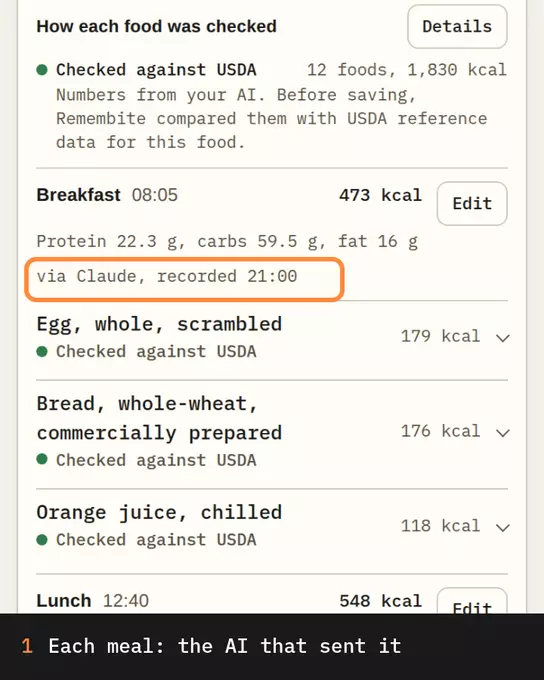
Each item stores the food name, the words you used, the grams and the numbers your AI sent: calories, protein, carbs and fat, plus fiber, sugar, saturated fat and sodium when it knows them. Where the food has a USDA reference, the item keeps its ID. Each meal also shows which AI recorded it.
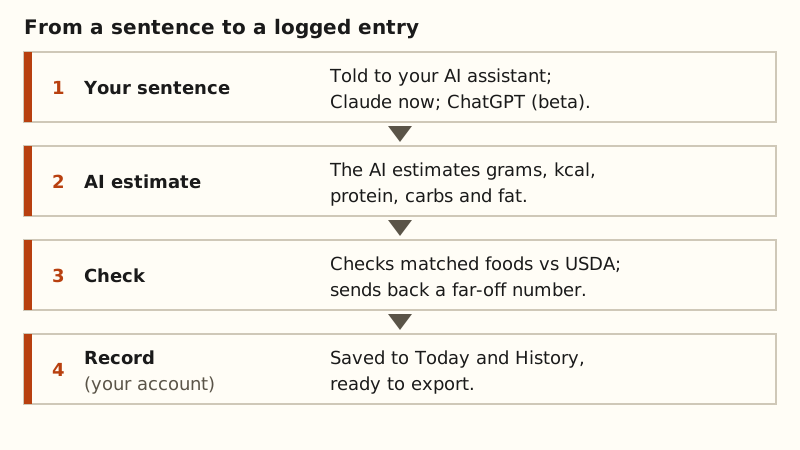
Before saving, Remembite compares each matched food with its USDA reference. A number far off is not saved; a question goes back to your AI. A value you confirm is saved and marked as confirmed. Remembite works in Claude, and in ChatGPT (beta, via developer mode).
Use the data: read it, then take it
- Read it in the app. History shows up to 31 days at a time with per-day totals. The 7 and 30 day views show averages, and Goals sets the targets.
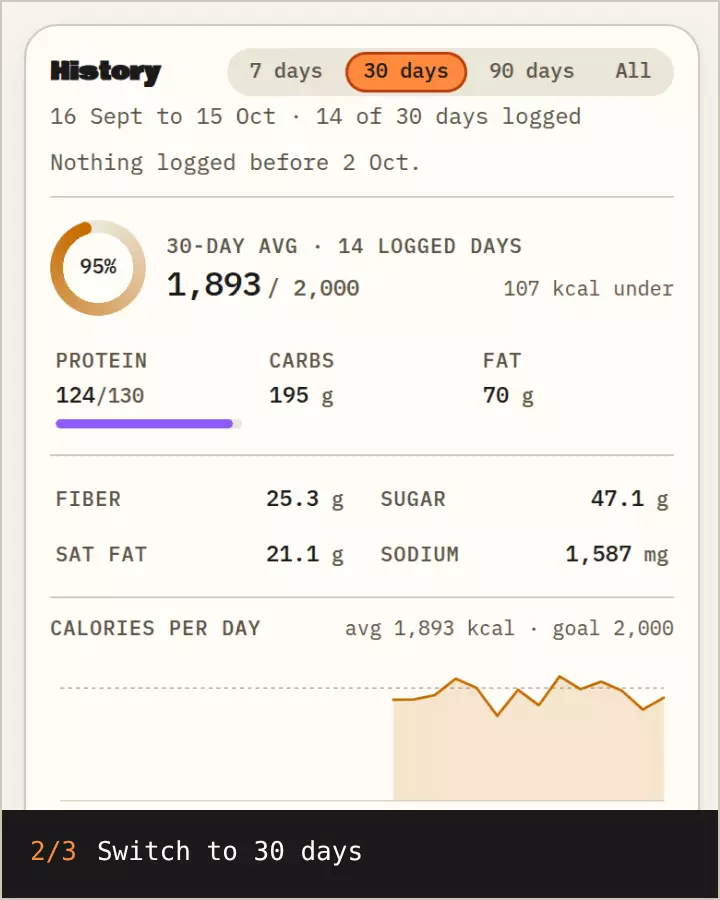
Sample data History for 7 and 30 days, protein at 126 of 130 g on the 7-day average, then Goals of 2,000 kcal and 130 g protein. - Ask your AI. It can read back up to 31 days of meals, or a summary of up to 92 days: average per logged day, days logged and your five most logged foods. Averages divide by the days you logged, so a missed day does not drag them down.
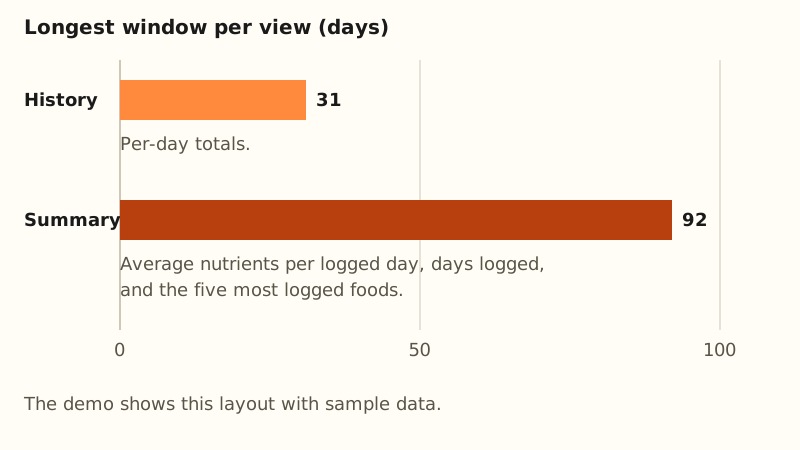
History and summary windows. Diagram by Remembite. - Download it. In Account, choose Export your data: JSON for everything stored about you, or CSV for your logged meals.
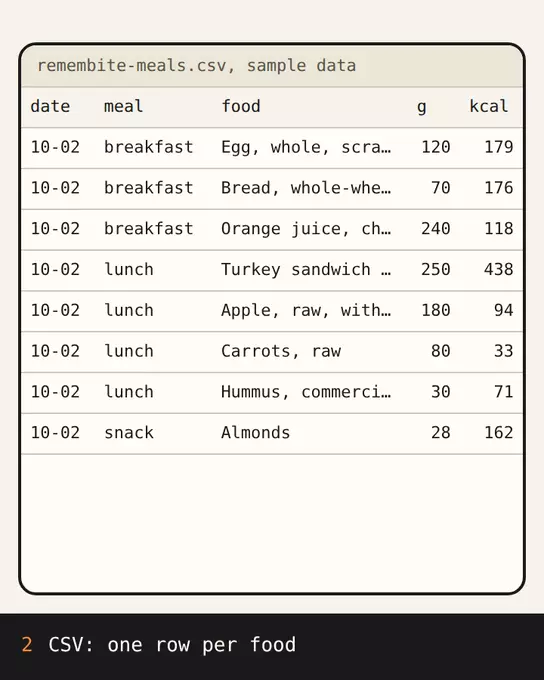
Sample data Account, Export your data, then the CSV (one row per food) and the JSON export of the same sample account.
What a real export row looks like
The CSV from the sample account has 149 rows, one per logged food, and 23 columns. First row, 2 October 2026:
| Column | Value |
|---|---|
| local_date | 2026-10-02 |
| meal_type | breakfast |
| food | Egg, whole, scrambled |
| grams | 120 |
| kcal | 179 |
| protein_g | 12 |
| source_food_id | 172187 |
Sample data from a seeded test account, not a real person. See how to export your food log and how to read a weekly average.
What it does not do
- No device sync, no Apple Health and no import from other apps.
- The numbers are what your AI sent: estimates, with labels showing how each was checked.
- JSON and CSV use Remembite's own columns, not a standard format.
Questions
Can I get all my data out?
Yes. Download JSON or CSV from Account at any time.
Can I import my old log?
Not yet.
Can I delete everything?
Yes. Deleting your account removes your meals, water, saved foods and goals; the privacy page has the details.
See a month of sample meals in the sample dashboard, or read the full feature list.
Estimates, not medical advice. How the numbers work.
Start your own record
Create a free account with your email, then add Remembite to Claude. Want to look first? Watch Claude log a sample day, no account needed.