Feature
See the pattern across days, not one chat
History draws your calories, protein, carbs and fat for 7, 30 or 90 days, or all of it. Averages divide by the days you logged, so a day you skipped is a gap, not a zero. Your AI does the math. Remembite keeps the record.
Get started free See Claude log a day
Free to start. Works in Claude and ChatGPT (beta).
Can a chat show me the pattern?
"Also, it's not reliable for looking back over multiple days or trying to track long-term patterns."
A chat holds today. Remembite saves each meal your AI sends, so the pattern is one screen away.
What does History show?
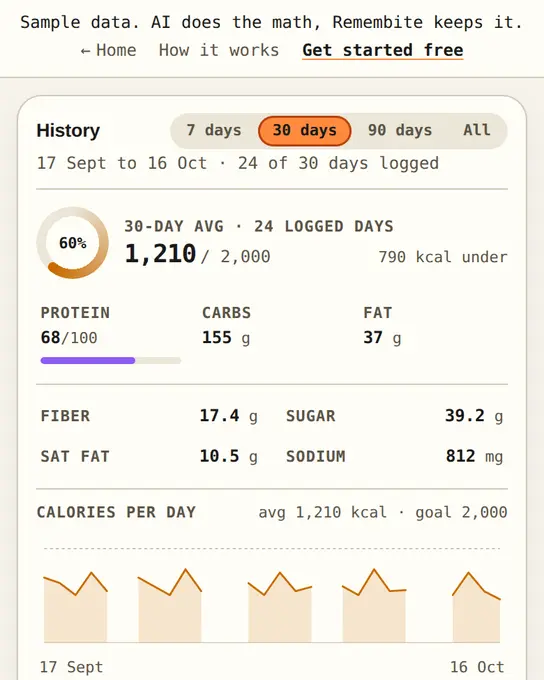
Pick 7 days, 30 days, 90 days or All. You get one calorie chart and three smaller charts for protein, carbs and fat. Each chart header shows the average, and your goal if you set one.
Four tiles sit above the charts:
- 7-day average: kcal per logged day.
- This week vs last: change in average calories, in percent.
- Within 10% of calorie goal: logged days near your goal.
- Protein goal reached: logged days that met your protein goal.
The goal tiles appear once you set a goal. See them in the sample dashboard.
How do I read my week?
- Open History and pick a range. Seven days shows the week; thirty days gives the goal tiles more days to count.
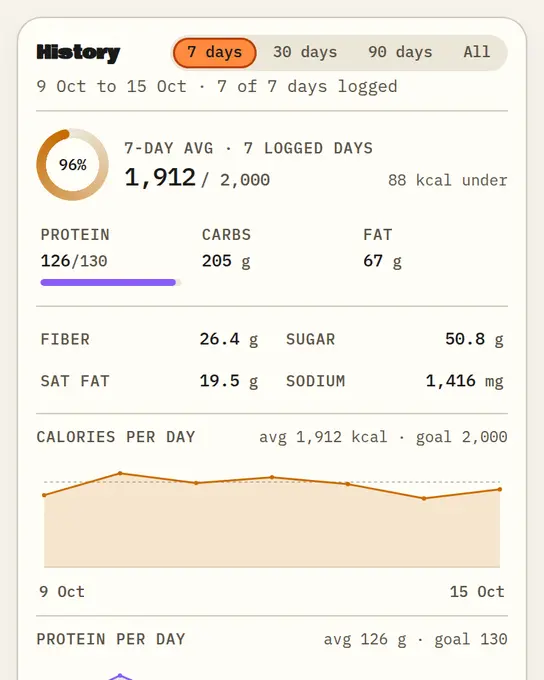
Sample data History for 7 days. Remembite screenshot. - Check the Days table. It lists each logged day with kcal and grams. Tap a date to open that day.
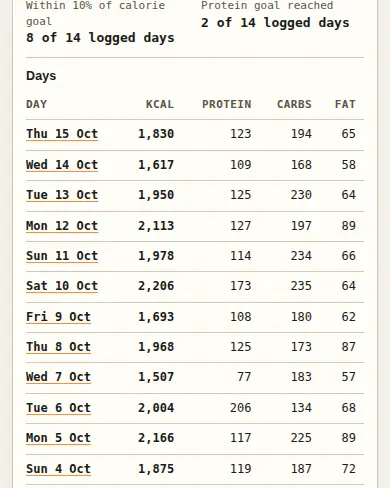
Sample data Tiles and the Days table. Remembite screenshot. - Zoom out to 90 days. With All, ranges over 120 days group by week.
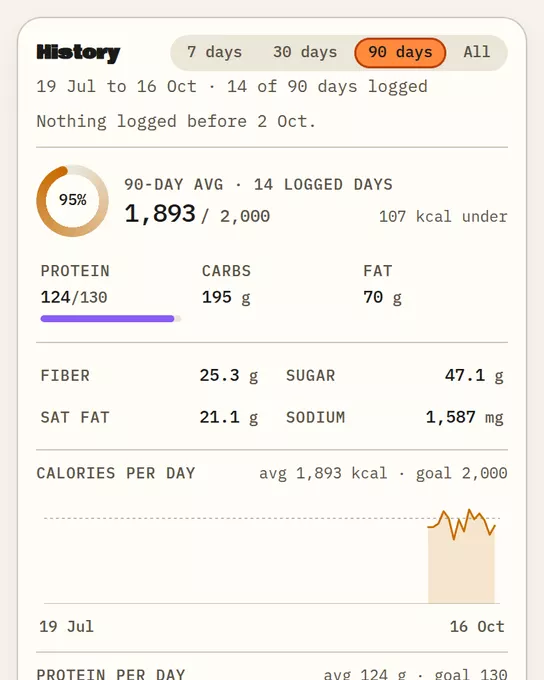
Sample data History for 90 days. Remembite screenshot. - Ask your AI. The connector reads the same record: up to 31 days of meals per request, or an average over up to 92 days. Claude now, ChatGPT (beta).
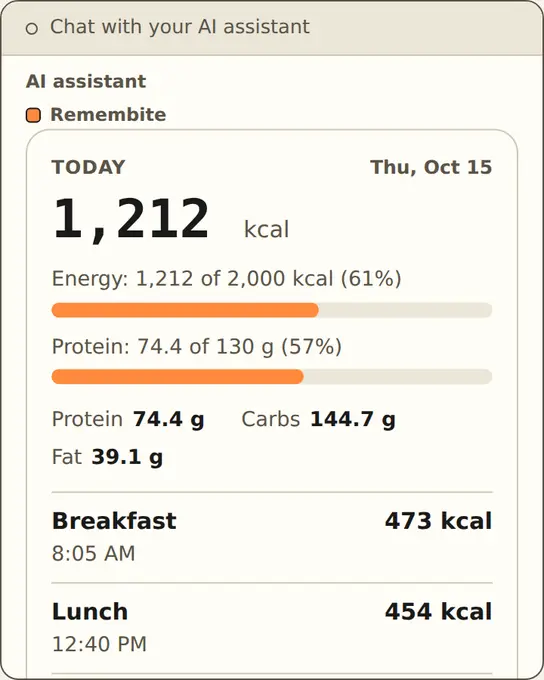
Why divide by logged days?
Hypothetical example: five logged days total 9,500 kcal. Dividing by the 5 logged days gives 1,900 kcal per day. Counting skipped days as zero, 9,500 / 7, gives 1,357. The second figure says you ate 543 kcal less per day than your logged days show, and nothing in the record supports that. Remembite uses the first. See weekly calorie average.
What are the limits?
- Only days you logged count. Remembite does not guess a skipped day.
- Every number is what your AI sent. These are estimates. See what to expect from calorie counting.
- Remembite gives no targets and no advice. You set the goal; the tiles count against it.
Charts and averages questions
How is the weekly average calculated?
The calories of your logged days, added up and divided by the number of logged days. Five days at 9,500 kcal total gives 1,900 kcal (hypothetical).
What if I skip a day?
It shows as a gap in the chart and stays out of every average.
Connect your AI, log for a week, then open History. See all features.
Estimates, not medical advice. How the numbers work.
Start your own record
Create a free account with your email, then add Remembite to Claude. Want to look first? Watch Claude log a sample day, no account needed.