Feature
Get a copy of your food log, or delete it
The Account page in Remembite has four buttons: download your data as JSON or CSV, disconnect an AI app, withdraw health data consent, and delete your account. All four work in the app. None needs a support email.
Get started free See Claude log a day
Free to start. Works in Claude and ChatGPT (beta).
Can I get my food data out?
my meals on MyFitnessPal ... I want to have _that_ data locally. And why are all these companies making it so incredibly difficult for me to get it? It's MY data after all!
That is one commenter. Meal logs are health-adjacent data, so the exit should be visible before you put them anywhere, including behind an AI connector.
One page, four controls
Sign in, open Account. Export, Connected apps, Health data consent and Delete account sit on the same screen.
How do I export, disconnect, withdraw or delete?
1. Download everything as JSON or CSV
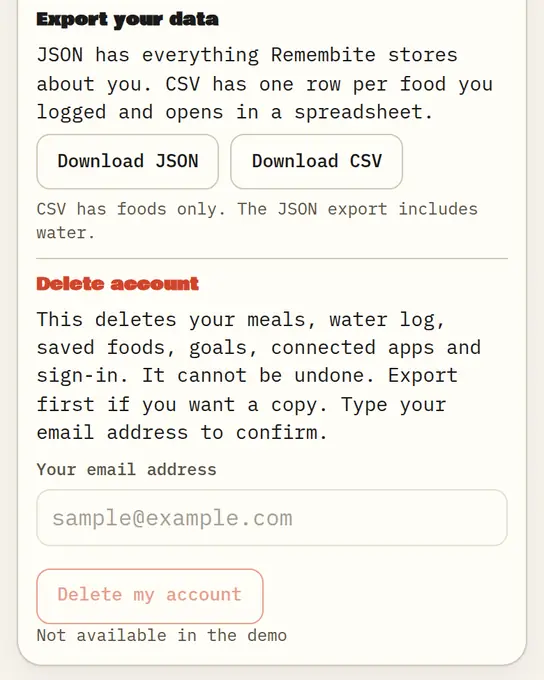
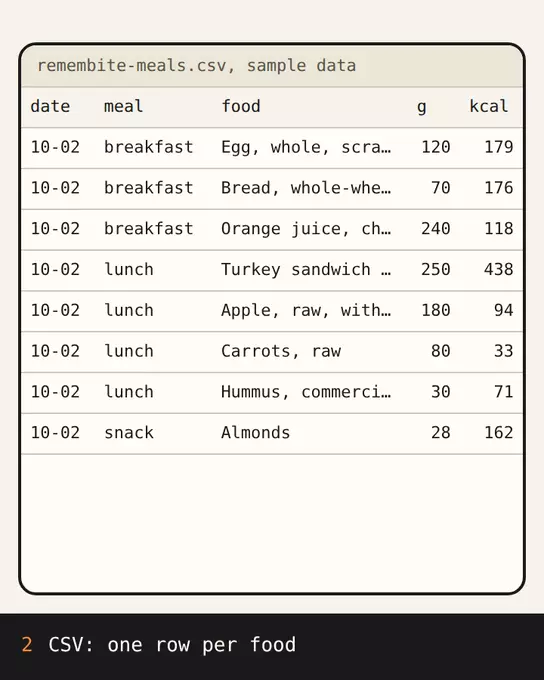
Under Export your data, choose Download JSON or Download CSV. JSON holds everything Remembite stores about you except photos, and it includes your consent history and your connected apps. CSV has one row per food and opens in a spreadsheet. Meal photos come in a separate ZIP (Download photos), shown once you have added photos.
2. Disconnect an AI app
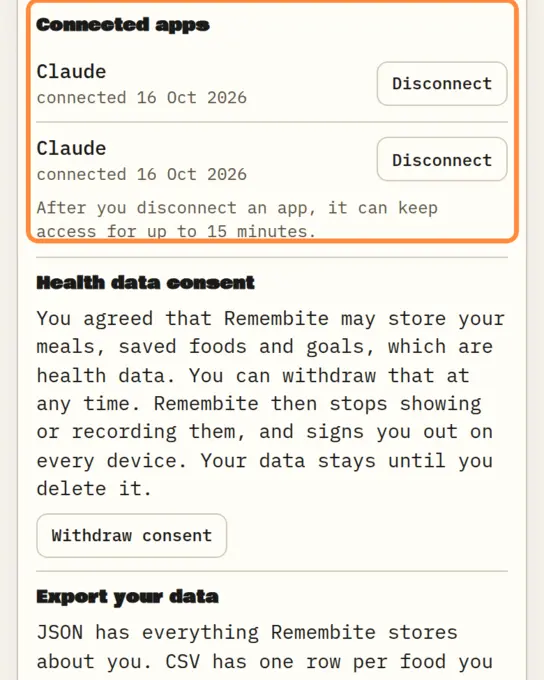
Under Connected apps, choose Disconnect next to the app and confirm. That app can keep access for up to 15 minutes. Your data is not deleted.
3. Withdraw health data consent
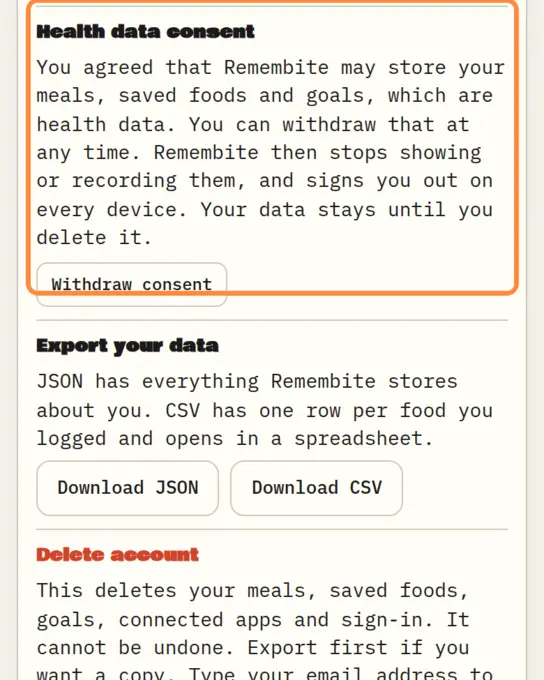
Under Health data consent, choose Withdraw consent and confirm. Remembite stops showing and recording your meals, meal photos, water, weight, goals and saved foods, disconnects your AI apps and signs you out on every device. Your data stays until you delete it.
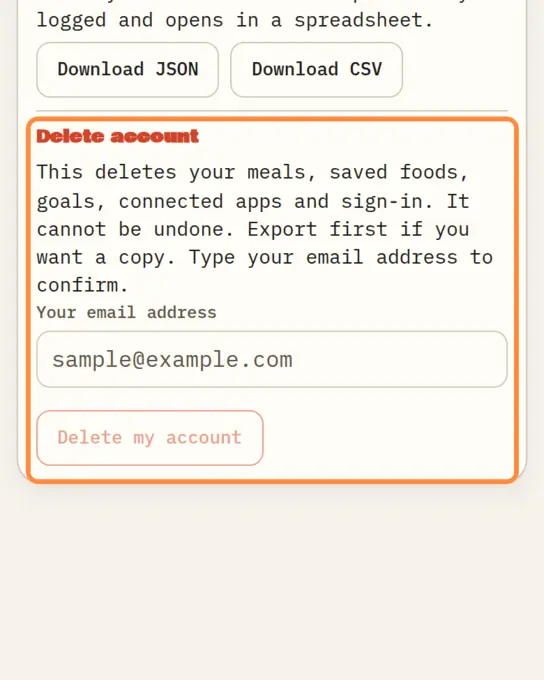
4. Delete your account
Under Delete account, type your account email and choose Delete my account. It cannot be undone. Your meals' photos are deleted with the account. Backup copies are deleted automatically within 31 days, and deleted photos stay in them until then.
Where is each control described?
Read the full text in the privacy policy and the consumer health data policy. The health data privacy page covers consent in more detail.
What can I not do?
- The export is Remembite's own format, not a standard one.
- You cannot import a log from another app. There is no import.
- What your AI keeps in your chat is handled by that AI service, under its own terms.
Questions about export and delete
Can I download all my food log?
Yes. Download JSON for everything Remembite stores about you except photos, CSV for one row per food, or the photos ZIP for your meal photos. Both are under Export your data in Account.
How do I delete my account?
Open Account, type your account email under Delete account and choose Delete my account. It cannot be undone.
Is there a limit on exports?
You can export 5 times every 10 minutes.
See the record before you sign up: open the sample dashboard. Moving data out of another app: how to export a food log.
Estimates, not medical advice. How the numbers work.
Start your own record
Create a free account with your email, then add Remembite to Claude. Want to look first? Watch Claude log a sample day, no account needed.